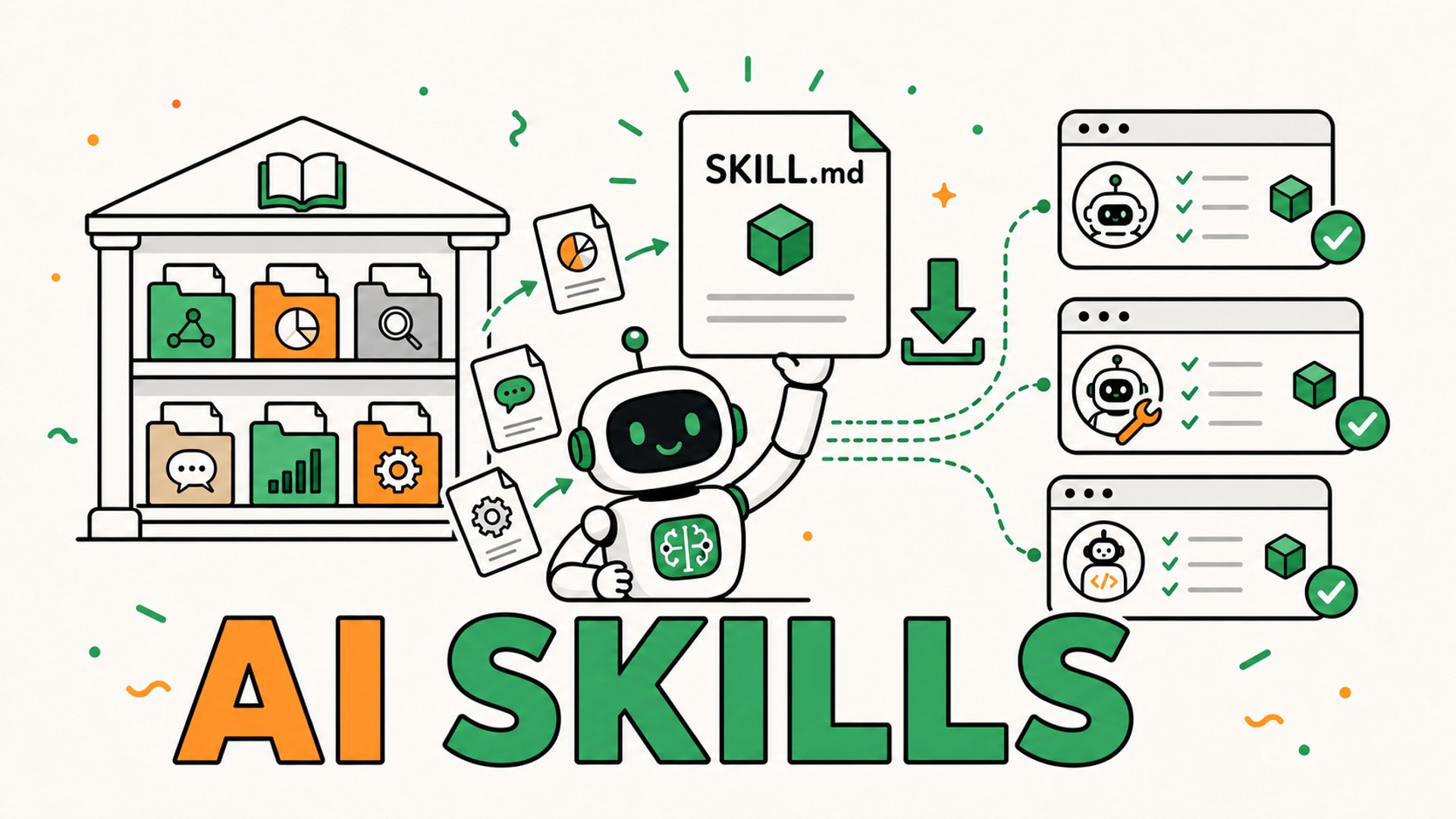
Over the past few months, I have been seeing more and more Skills for AI agents on LinkedIn, X, and GitHub. One Skill for writing feature specs, another for adding animations to an interface, another for preparing a marketing campaign, and so on.
In this article, I will explain what AI Skills really are, where to find them, and how to review and install them. We will also create a simple first Skill before looking at a problem I am already facing: managing them across several AI tools.
We will discuss their limitations too. The language surrounding these releases often promises a lot: install a few Skills, and Claude, Codex, or Cursor will immediately become better across a wide range of domains. The reality is more nuanced.
A Skill does not modify the model or suddenly teach it a new discipline. It gives the model a method, instructions, and sometimes additional resources that it can load when a request matches. Some Skills are very useful. Others amount to little more than a well-presented prompt. Installing them without reading them means trusting unknown instructions to an agent that may be able to access your files and run commands.
An AI Skill is a folder the agent knows how to load
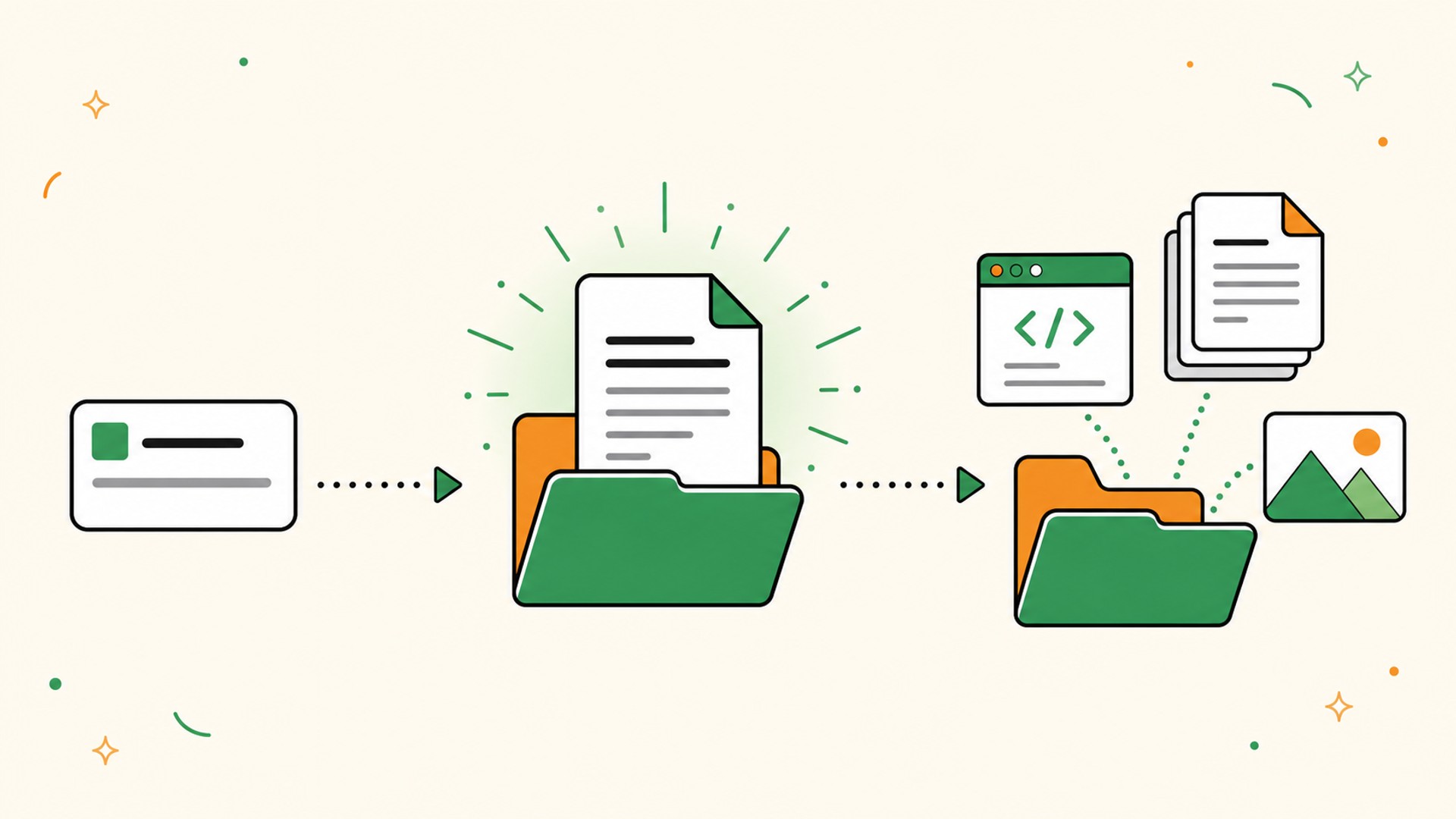
The public Agent Skills format defines a Skill as a folder containing at least one SKILL.md file.
This file describes:
- the name of the Skill;
- the situations in which it should be used;
- the instructions the agent should follow;
- the expected output format;
- the limitations and mistakes to avoid.
The folder can also contain scripts, examples, documentation, and other resources:
my-skill/
├── SKILL.md
├── scripts/
├── references/
└── assets/
A presentation Skill might include a storytelling method, slide templates, and a generation script. A Nuxt Skill can remind the agent of framework conventions, identify files to inspect, and provide examples for a specific version.
The important point is that the agent does not necessarily load all this content into every conversation. The format relies on progressive disclosure:
- the agent first discovers the Skill's name and description;
- it loads the contents of
SKILL.mdwhen the request appears to match; - it consults additional scripts or resources only when they become useful.
This approach keeps the agent general-purpose without filling its context with every possible method. I already described this mechanism in my context engineering method for AI agents: Skills are part of the dynamic context loaded on demand.
A Skill is neither a prompt nor MCP
The confusion is understandable because each mechanism can influence an agent's behavior.
| Element | What it provides |
|---|---|
| Prompt | An instruction for the current request |
AGENTS.md or CLAUDE.md | Durable rules for a project |
| Skill | A specialized method the agent loads when it becomes relevant |
| Tool or MCP | Access to data, an API, or an external action |
A prompt can ask the agent to review a spec. A Skill can teach it how to conduct that review, which edge cases to look for, and how to structure its report.
An MCP server can give it access to GitHub, a database, or an SEO tool. The Skill can then explain which capabilities to use, in what order, and how to interpret their results. My page about MCP server development for SaaS products explains what this standard makes possible.
One sentence captures the difference:
A tool gives the agent the ability to act. A Skill gives it a way of working.
However, a Skill can also contain scripts. It should not be treated as a harmless document with no potential consequences.
Why are so many Skills being published?
A method stored inside a conversation remains trapped in that conversation. A SKILL.md file can be reviewed, corrected, version-controlled with Git, and shared with other people.
The format therefore appeals to several groups:
- vendors that want to explain how an agent should use their product;
- developers publishing a specialized method;
- teams that want to share the same workflows;
- users who want to extend their agents without rewriting instructions;
- creators who collect several Skills in one repository.
This portability explains the rise of directories such as skills.sh, specialized GitHub repositories, and many community-maintained lists.
Portability does not guarantee that a Skill will be compatible with every agent. The core format may be shared, but a Skill can still depend on a tool, command, path, or feature specific to Claude Code, Codex, or Cursor.
I therefore distinguish three levels:
- The format is compatible: the agent can discover and read the
SKILL.mdfile. - The instructions are portable: they do not depend on behavior specific to one tool.
- The Skill actually works: its scripts, tools, and dependencies are available in your environment.
Seeing several agent logos on a page does not replace this verification.
Where can you find AI Skills?
I always start with the source closest to the subject.
For a framework or product, I first look for a Skill published by its vendor or team. For a more general method, I review the author's profile, GitHub repository, and other projects they maintain.
The main sources today are:
- official product and framework repositories;
- the Skills repository published by Anthropic;
- directories such as skills.sh;
- GitHub repositories containing multiple Skills;
- internal Skills created for a team or project.
A popularity ranking can help you discover a project, but it is not an audit. Before installing a Skill, I open its folder.
What I check before installing a Skill
The SKILL.md file should be the first thing you read, not the last.
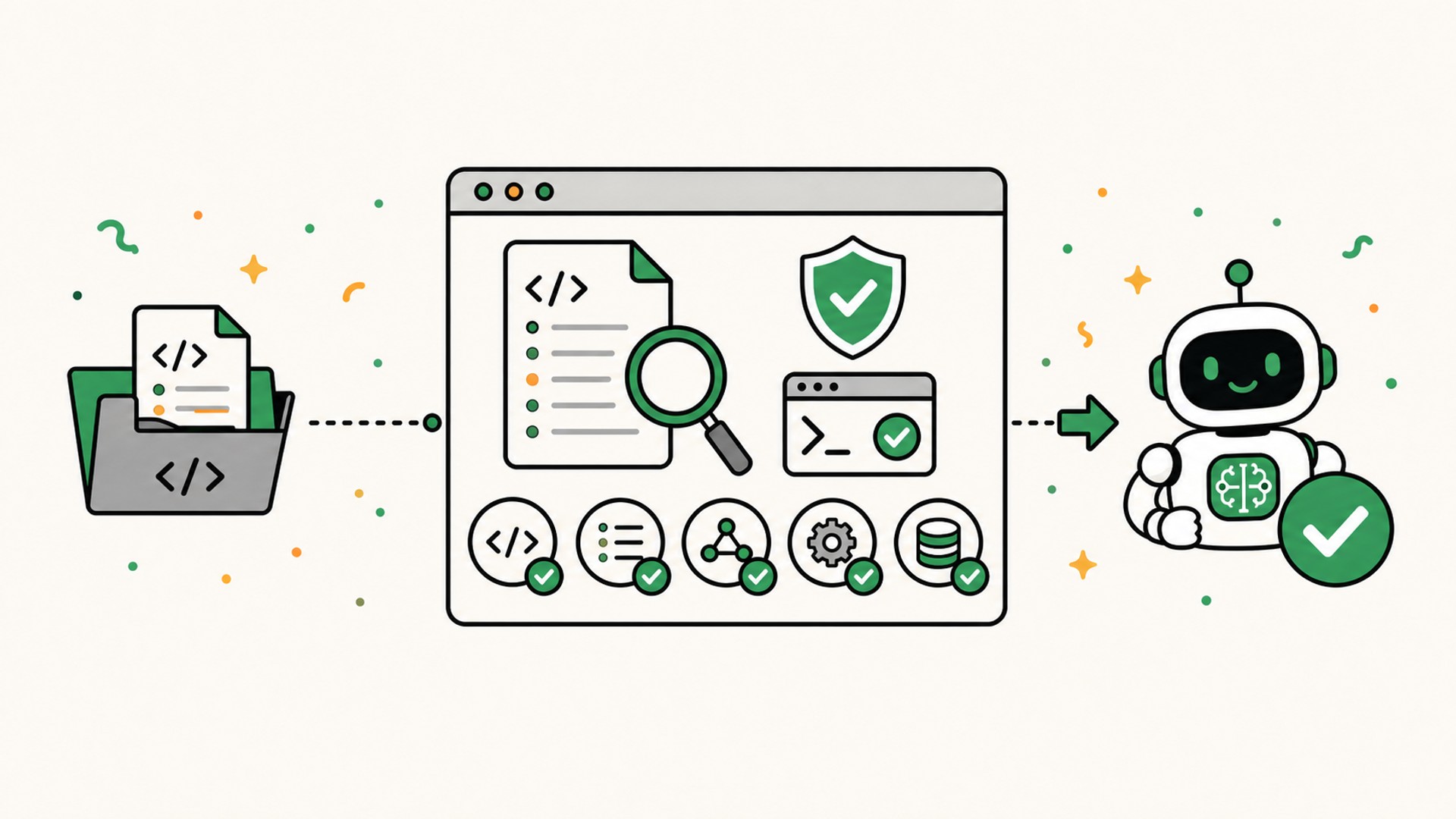
Does the description match my need?
The description often acts as the triggering mechanism. It should state what the Skill does and when to use it.
A description such as “improves code” is too vague. The Skill may never be selected, or it may be selected for almost every task.
A more precise description looks like this:
Use this Skill to review a product spec or PRD before implementation. Identify missing decisions, edge cases, and acceptance criteria.
The Agent Skills documentation also recommends testing descriptions against requests that should trigger the Skill and others that should not.
Are the instructions understandable?
I look for an explicit workflow, a verifiable result, and clear limits. A long list of generic principles provides little value if it does not change any of the agent's decisions.
A good Skill does not merely tell the agent to “be rigorous.” It describes the steps that make up the expected rigor.
Does the folder contain scripts?
I inspect the entire directory tree, not only SKILL.md.
A script may have a legitimate purpose, such as converting a file or calling a local tool. But I check:
- which commands it runs;
- which files it reads or modifies;
- whether it accesses the network;
- how it uses environment variables;
- which dependencies it downloads;
- where data might be sent.
A Skill runs with the permissions granted to the agent. Malicious instructions or an overlooked script may therefore attempt to read secrets, modify files, or bypass your instructions.
Is the source identifiable and maintained?
I look at the author, license, commit history, and repository issues. A short Skill does not need thousands of stars, but I want to understand who published it and what I am installing.
Most importantly, installation convenience should never be confused with trust.
How to install a Skill
There are two main approaches: use an installation tool or place the folder in the correct location yourself.
Install a Skill with npx skills
The CLI associated with skills.sh can import Skills from a GitHub repository:
npx skills add owner/repo
Replace owner/repo with the repository owner and name shown on the Skill's page. When a repository contains several Skills, you can target one:
npx skills add owner/repo --skill skill-name
The CLI analyzes the repository and lets you select the Skill and relevant agents. You should still read the files on GitHub before running the command: npx downloads and executes a program, and the installer then writes to local directories.
This approach works well when the source explicitly provides the command and you are comfortable using the terminal.
Install the folder manually
A manual installation consists of downloading or cloning the Skill folder, then placing it in a location scanned by your agent.
At the time of writing, the main global paths on macOS are:
| Agent | Location |
|---|---|
| Claude Code | ~/.claude/skills/<name>/SKILL.md |
| Codex | ~/.agents/skills/<name>/SKILL.md |
| Cursor | ~/.agents/skills/<name>/SKILL.md or ~/.cursor/skills/<name>/SKILL.md |
| Antigravity | ~/.gemini/config/skills/<name>/SKILL.md |
| OpenCode | ~/.agents/skills/<name>/SKILL.md |
Some agents also support project-specific Skills, for example under .agents/skills/. Those Skills can remain version-controlled with the repository and apply only to that project.
The locations and discovery mechanisms are still evolving. Check your agent's documentation if a Skill does not appear, especially after a tool update.
Verify that the Skill triggers
After installation, start a new conversation and write a natural request that matches the description.
If the Skill is designed to review a product spec, do not begin by asking:
Use
review-feature-spec.
Ask instead:
Review this spec before we begin implementation. Find missing decisions, edge cases, and acceptance criteria.
This tests the most important mechanism: can the agent recognize the need without being given the exact name of the Skill?
I then test a related request that should not trigger it, such as a basic proofreading task. If the Skill still intervenes, its description is probably too broad.
Visibility differs between tools: some indicate which Skill was loaded, while others make the mechanism less visible. In every case, check whether the expected workflow appears in the result.
Create a first Skill to understand the format
Using a published Skill is the fastest starting point. Creating a small one, however, helps you understand what you are installing.
I will use an example related to my work as a Product Engineer: reviewing a feature spec before handing its implementation to an agent.
Create this folder:
review-feature-spec/
└── SKILL.md
Then add this content:
---
name: review-feature-spec
description: Use this Skill to review a product spec, PRD, or detailed
  ticket before implementation. Identify missing decisions, risks,
  edge cases, and acceptance criteria, then propose a validation plan
  without modifying the code.
---

# Review a feature spec

## Goal

Make the scope, decisions, and validation explicit before implementation.

## Workflow

1. Read the spec and identify the source of truth.
2. Summarize the user problem, expected outcome, and what is out of scope.
3. Separate explicit decisions, assumptions, and recommendations.
4. Identify missing information that would change the interface,
   data model, or architecture.
5. Check the main user journey, errors, permissions, accessibility,
   supported languages, and external dependencies.
6. Turn verifiable requirements into acceptance criteria.
7. Propose a validation plan proportionate to the risk.
8. Ask a question when a missing decision would change the implementation.

## Output format

### Summary
### Existing decisions
### Blocking questions
### Edge cases and risks
### Acceptance criteria
### Validation plan

## Rules

- Do not begin implementation.
- Do not invent a missing requirement.
- Distinguish facts, assumptions, and recommendations.
- Report contradictions instead of resolving them silently.
The Agent Skills format specification imposes several frontmatter rules, including a lowercase name and a non-empty description. It also recommends keeping the main instructions compact and moving longer reference material into separate files.
This first version does not need a script. I can read it in a few minutes, anticipate its behavior, and improve it when I observe a real failure.
In my workflow, the Skill could review the Markdown specs I draft with Codex or Claude Code and inspect in Fude, my Markdown reader designed for AI agents.
The real problem starts when you use several agents
Installing one Skill is fairly straightforward. Maintaining a collection across Claude Code, Codex, Cursor, and other tools quickly becomes opaque and time-consuming.
Each agent may use a different folder. Some also scan the shared ~/.agents/skills path, while others do not. A Skill may exist globally and inside a project. One copy gets updated while another remains outdated. On a second Mac, the same environment has to be rebuilt.
After a few weeks, very simple questions become difficult to answer:
- Which Skills have I installed?
- Which agents can use them?
- Which copy is the source of truth?
- Is an update available?
- What does this Skill actually contain?
These questions motivated me to build a tool dedicated to managing Skills.
Liblio.ai Sync, an app for managing Skills more easily
Liblio.ai Sync is a free application I am developing first for Mac, with a Windows version planned later. Its purpose is to let you install, update, and inspect your Skills without handling hidden folders, symbolic links, Git, or terminal commands.
The first version should allow you to:
- import a Skill from a local folder, a public GitHub URL, or a skills.sh command;
- keep your Skills in a local Liblio.ai Sync folder or one synchronized through a service such as iCloud Drive, Google Drive, or Dropbox;
- make them available in tools such as Claude Code, Codex, Cursor, Antigravity, Devin, and OpenCode;
- inspect their contents and source;
- detect updates and ask for confirmation before installing them;
- identify and repair certain path or link problems.
The application is still in development. The initial goal is to make an environment currently scattered across several folders visible and manageable.
Liblio.ai Sync will simplify Skill management, but it will not certify their security. You will still need to verify their source, instructions, and scripts.
Skills are becoming a new layer of our AI tools
Skills are neither complete applications nor additional model training. They are a lightweight format for distributing instructions, methods, and resources that the agent loads on demand.
To get started, I recommend a simple progression:
- choose a Skill from an identifiable source;
- read its
SKILL.mdfile and any associated scripts; - install it in one agent;
- test one request that should trigger it and another that should not;
- observe whether it actually improves the result before adding ten more.
An impressive collection of Skills provides little value if no one knows which ones are active, trustworthy, or up to date. Their value comes less from their quantity than from the quality of the behaviors they make repeatable.
This work of structuring information and making trade-offs also sits at the heart of the Product Engineer role in the age of AI. It is the type of workflow I design through my Product Engineering services.
Which Skills were the first ones you installed in your AI agents?