Anthropic has redesigned its projects feature. More than a simple update, Claude Projects changes how we work with AI.
In this new version, a main conversation coordinates the work, and AI delegates individual topics to specialized threads. The idea is to explore each task in depth without losing the big picture, rather than managing several conversations separately.
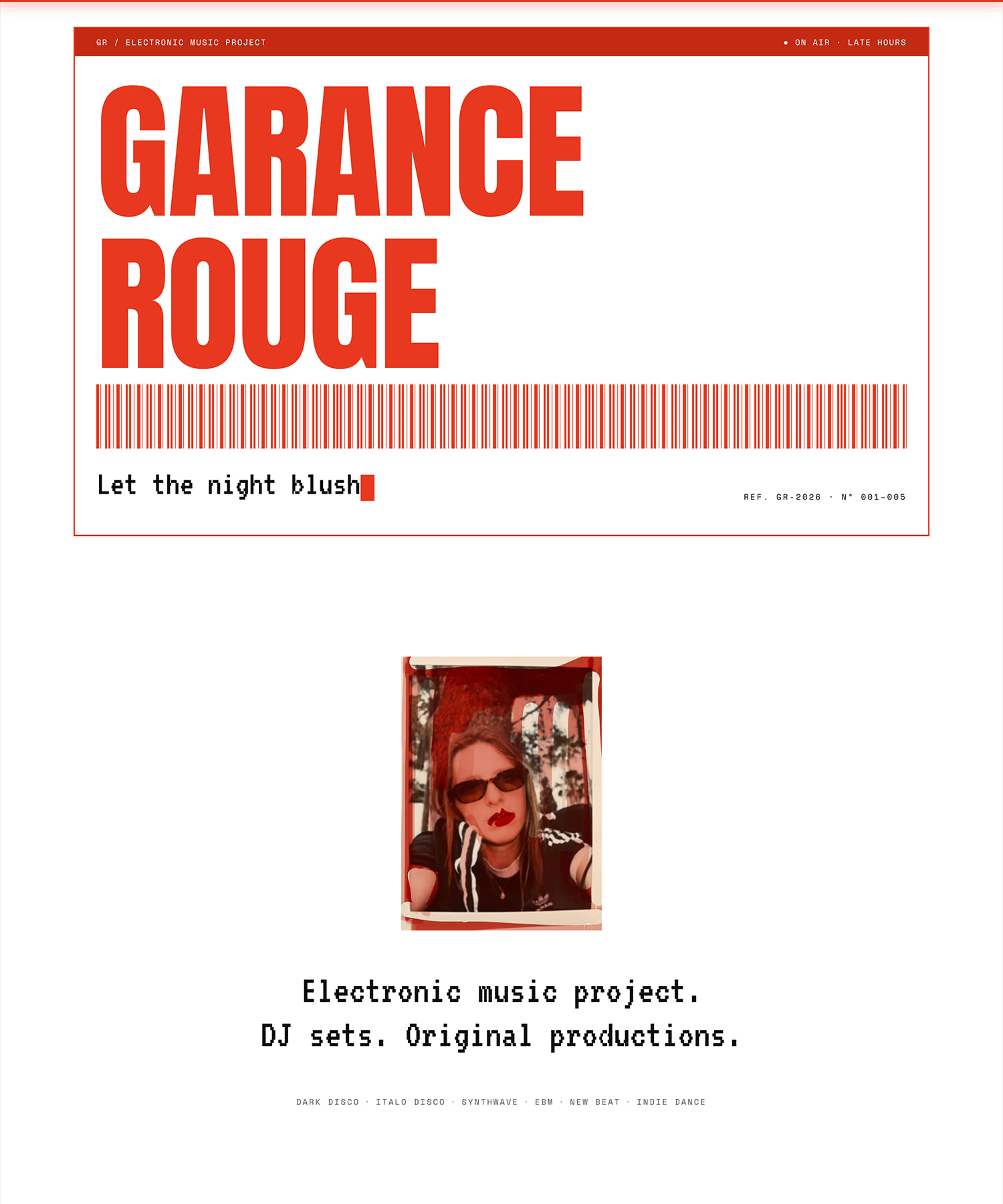
I tested this new feature on a real project: building a website for a friend, Garance Rouge, who is an electronic music DJ and producer. Here is my take on this new way of working with Claude.
What Changes with the New Claude Projects
Projects already existed in Claude. They let you group conversations, documents, and instructions around the same topic.
The new version, rolling out in beta in Claude Code, goes further: a project becomes a conversation for coordinating work.
Access to this beta is rolling out gradually on Pro, Max, and Ultra plans.
From the main conversation, Claude can create related threads and follow their reports without seeing every step they take. Each thread is a session with its own context, where you can jump in directly. Several threads can run in parallel, although some tasks depend on the results of others.
The project’s files, instructions, and memory provide a shared foundation. A library brings together the documents you add and the files Claude produces. The Claude Code documentation explains how this works.
Testing Projects by Building a Portfolio Website
Building my friend Garance Rouge’s website was a good opportunity to test the feature. I organized the work around four topics:
- visual exploration and website mockups;
- technical decisions, particularly the contact form and the Mixcloud API;
- development;
- deployment.
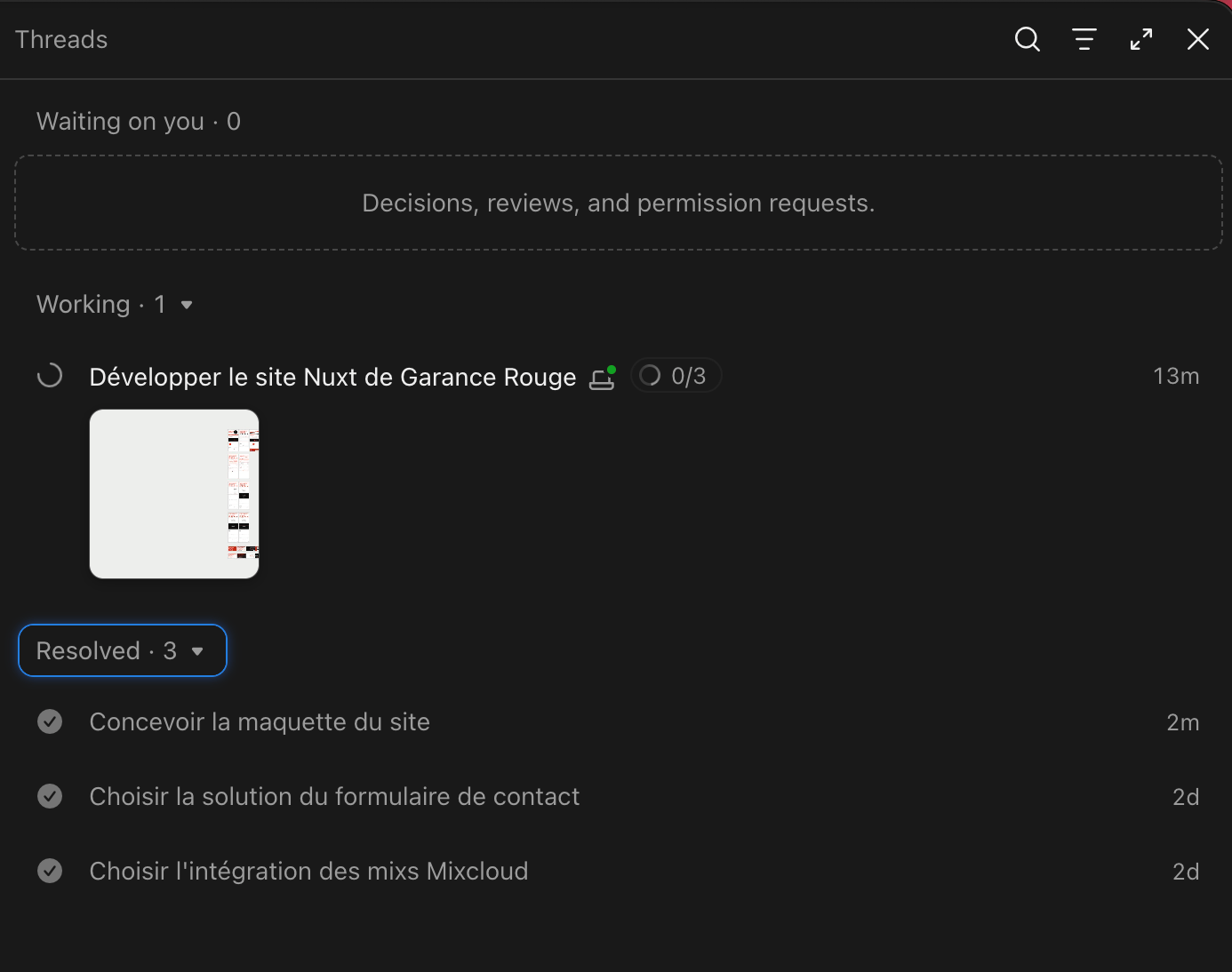
In a project, the threads panel shows three statuses: Waiting on you for topics awaiting a decision, review, or permission; Working for work in progress; and Resolved for topics that have been dealt with. The main conversation updates these statuses automatically as work progresses.
I found this tracking useful: you can quickly see what is moving forward and what needs attention, without opening every thread to find out where things stand.
Projects to Coordinate, Artifacts to Show the Results
My friend had already established her art direction through her Instagram feed and the artwork for her mixes and EP. I used these references for the visual exploration.
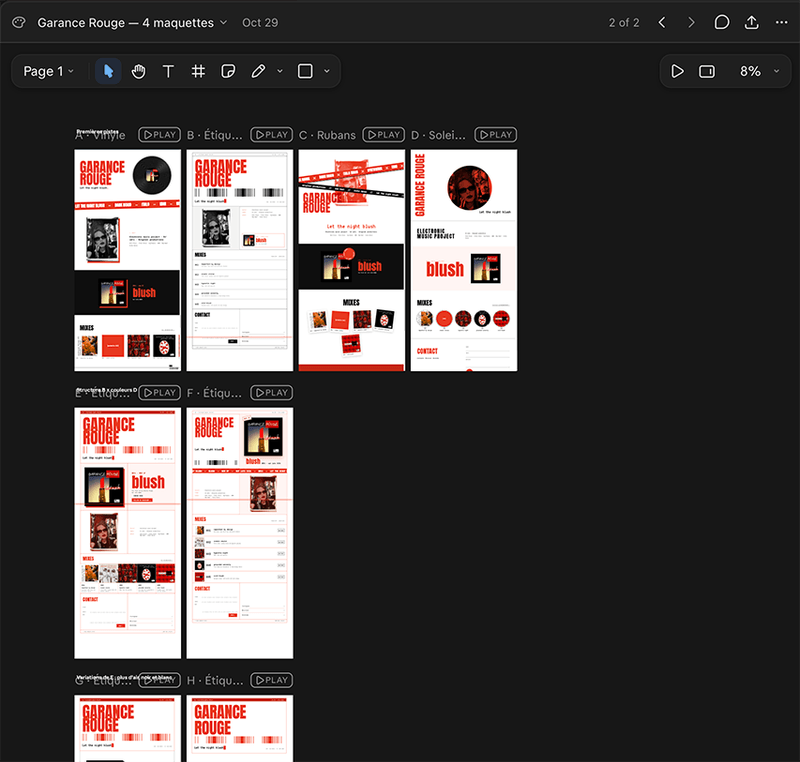
Once again, I was blown away by Opus 5.5’s artistic creativity. Artifacts and their canvas, which works much like Figma, let you generate design proposals and refine them visually.
Artifacts are easy to share. That made it straightforward to show my friend the mockups and refine them based on her feedback.
Can Claude Projects Handle a More Complex Project?
On this small project, the organization is easy to follow. I want to see how it holds up with more threads and decisions: will the main conversation manage to keep track of the context, or will the whole thing become a mess? I do not have enough experience with it yet to answer.
Another limitation to keep in mind: running several threads uses up your subscription’s usage allowance faster.
A Coordination Tool, with Decisions Still to Make
My role as a Product Engineer is to define the expected outcome, keep decisions connected, and check what the agents produce. Claude Projects makes those exchanges with AI easier to organize.
Being a Product Engineer also means understanding the problem behind a request, deciding what is worth building, and weighing the trade-offs between user experience, technical complexity, and the time available. AI can help explore options and turn them into working solutions, but making these decisions remains an essential part of my work.
📌 Do you have a web project to design or improve with AI? I can help from scoping through implementation with my Product Engineering services.
Sources and Links
- Anthropic, projects in Claude and the new beta version.
- Anthropic, how projects work in Claude Code and the Projects redesign announcement.
- Anthropic, Artifacts and how they work and the Claude Design canvas.
- Garance Rouge’s website.