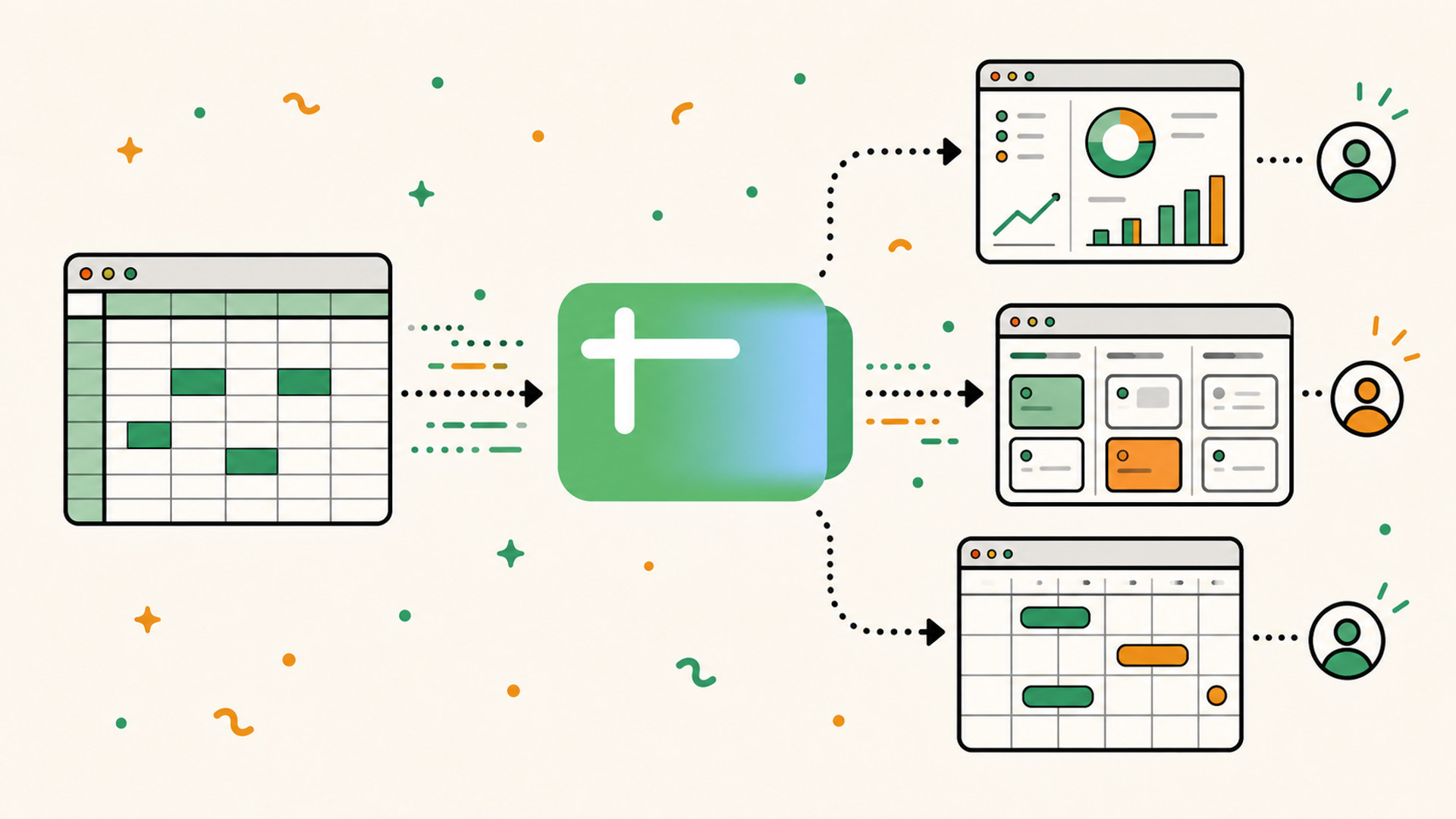
Google has just introduced Sheets Canvas, a new way to turn spreadsheet data into an interactive dashboard, calendar, or Kanban board using Gemini.
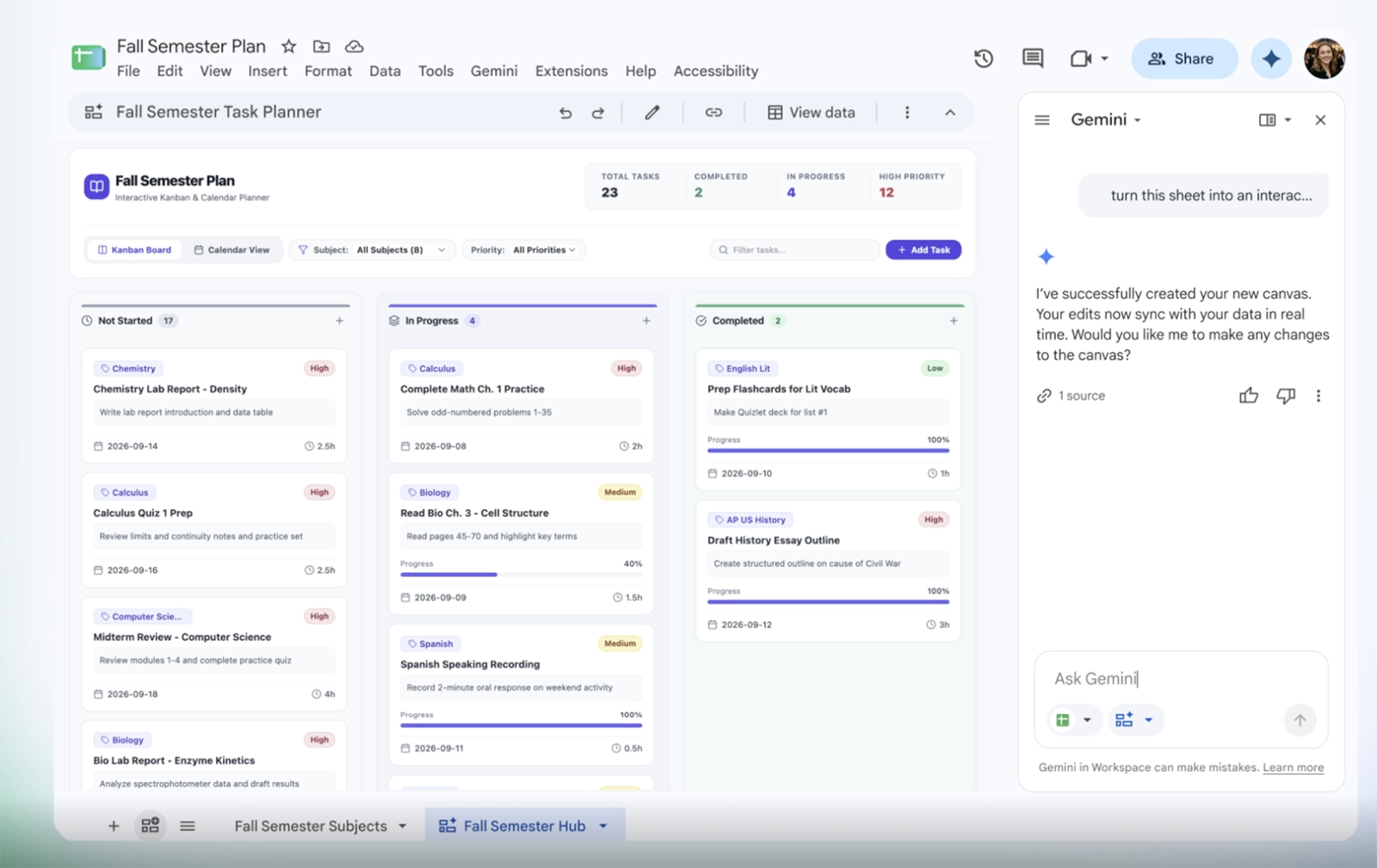
AI is integrated directly into a tool we already use, with no installation, no additional plugin, and no need to share new data. This integration is a great example of how AI can reach users who would not go looking for it elsewhere.
For the past three years, we have been comparing models, benchmarks, and new agents inside the tech bubble on X and LinkedIn. Meanwhile, much of the public is not looking for a new AI tool. They simply want to get more out of the tools they already know.
The general public does not want to “use Gemini.” They want to understand their budget, track their projects, or prepare for their next meeting more easily.
The AI battle will not be fought on model quality alone. It will also be fought over distribution.
Google Sheets Canvas turns a spreadsheet into a mini-app
A spreadsheet is an excellent data engine. Google Sheets Canvas makes it possible to build visual interfaces for viewing data on top of an existing spreadsheet. From Google Sheets and the Gemini side panel, users can ask AI to create a visualization suited to their data. The result can take the form of:
- a dashboard with metrics and filters;
- a Kanban board where cards move from one column to another;
- an editable calendar;
- a gallery of cards;
- a custom interactive visualization.
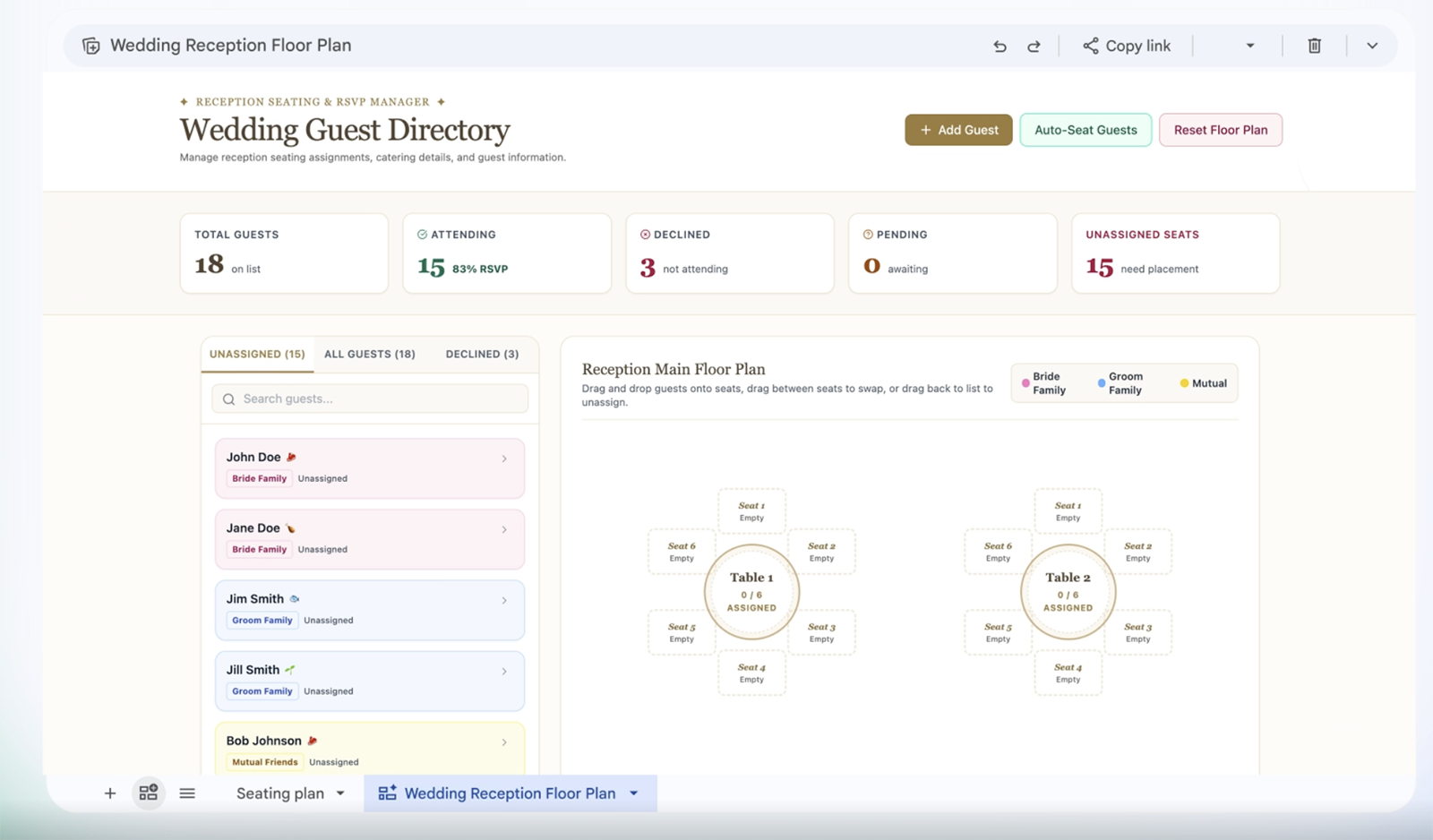
This is not just an image or a static chart. The Canvas remains connected to the spreadsheet data. Any information added, edited, or deleted in the interface also updates the underlying sheet.
Google Sheets effectively becomes a no-code application builder. Not enough to replace complex business software, but more than enough to wrap a proper interface around the many internal tools that already live in rows and columns.
Users are not starting from an empty application: their data, sharing permissions, and habits are already there.
A natural distribution channel for AI
A specialized AI product has to be discovered, understood, configured, supplied with data, and then adopted by the team. Each step sounds reasonable. Together, they form a funnel where many users drop off.
Sheets Canvas removes several of these steps. The AI button sits inside a product that is already open. The data is in the current file. Sharing follows familiar rules. The result remains in the same place as the source.
| Separate AI tool | AI integrated into Google Sheets |
|---|---|
| Users have to discover a new service | The feature appears inside an existing tool |
| Data has to be imported or connected | The data is already in the spreadsheet |
| A new account and new permissions are often required | Access to the file continues to govern usage |
| The team has to adopt another interface | It keeps its familiar environment |
| The result can become disconnected from the source | The Canvas remains linked to the spreadsheet |
This is a considerable distribution advantage: Google can put this AI capability in front of people who already use Google Sheets to track sales, expenses, schedules, or inventory.
The existing product becomes the acquisition channel for the AI feature.
Why plugins and MCP remain tools for specialists
A few days before this announcement, I published an article about the new Agent Plugins standard. These plugins can bring Skills and MCP servers together to give new capabilities to ChatGPT, Codex, Cursor, and other agents.
This stack is powerful, but it remains complex: you have to find the right plugin, verify its author, understand its permissions, and configure the MCP server. When enriching a Google Sheet from ChatGPT or Claude, the connection itself becomes a barrier.
In Sheets Canvas, that connection disappears from the experience because the data is already inside the product. Native integration wins through simplicity.
The prompt is still an interface for advanced users
Google Sheets Canvas removes the installation step, but not yet the effort required to formulate a request.
In Google's demos, users know what they want to build. They describe the expected format, the information to display, and the useful interactions. The request looks more like a short product brief than a spontaneous sentence.
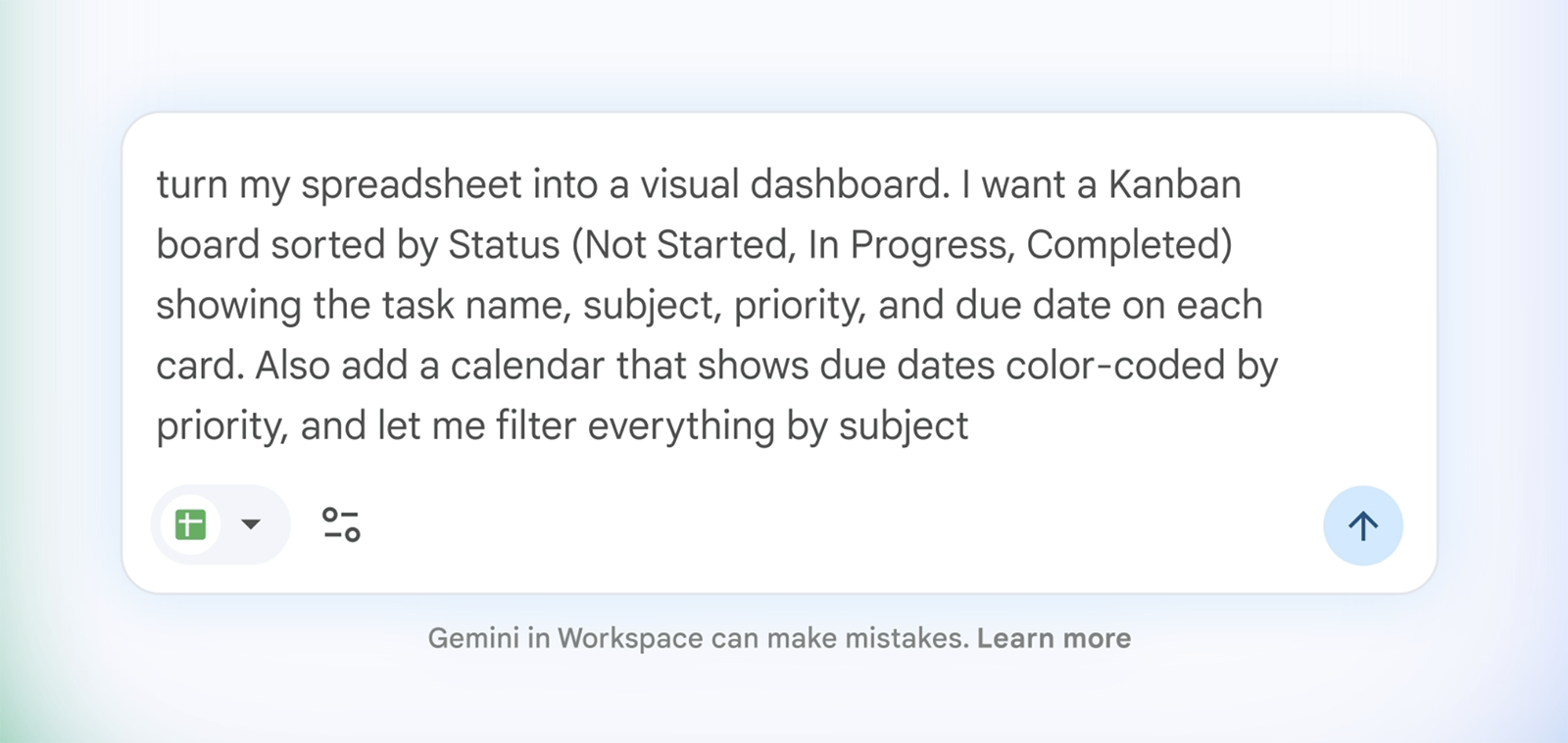
Writing a prompt is easy. Knowing what to type to get the result Google showcases is much harder:
- what type of interface best suits this data?
- which metrics are genuinely useful?
- which actions should modify the spreadsheet?
- how can users know what Gemini is capable of producing?
Someone can be an expert in their field, know exactly what they want to achieve, and still not know how to turn it into a specification. I see the same gap with AI application builders: the technology dramatically narrows the distance between intent and outcome, but it removes neither framing nor taste. My test of Lovable to create a website with AI already showed this limitation.
To truly democratize Sheets Canvas, Google will probably have to go beyond the open-ended prompt:
- offer templates suited to the data it detects;
- show a preview before modifying the spreadsheet;
- suggest two or three relevant interfaces instead of asking users to imagine everything;
- ask simple questions when a request remains ambiguous;
- make the effects of an action visible and easy to undo.
Being able to write a request in natural language does not relieve Google of the need to design a real interface.
Trust is already established
Adopting a new AI tool also means deciding whether you are willing to entrust your data to a new company. The recent controversy around Cursor was a reminder of this: the code needed for its AI features passes through the cloud, even with Privacy Mode enabled. This mode prevents the code from being retained or used for training, but not from being transmitted, as Cursor explained.
With Sheets Canvas, no new company enters the chain. The spreadsheets are already hosted by Google, which users have chosen to trust. They are also familiar with its sharing rules and permissions.
This does not automatically make Google safer. But native integration avoids having to rebuild that trust with a new provider.
The general public will not talk about models
Early adopters enjoy choosing a model, installing tools, and optimizing their prompts. Most people will instead encounter AI through a concrete action: making a spreadsheet readable, summarizing a conversation, or correcting a formula.
They do not need to know the model's name. They need to understand what the button will do, which data it will use, and how to undo the action. AI becomes a product capability, available at the moment the need arises.
Google benefits from Workspace, just as Microsoft benefits from Office, Apple from its operating systems, and Adobe from its creative tools. These companies can offer AI directly inside the tools where their users already work.
What I take away when designing an AI feature
For a Product Engineer, Google Sheets Canvas raises five useful questions before adding a generic chatbot to a product:
- What concrete outcome is the user already trying to achieve?
- At exactly what point in their workflow does the need arise?
- Is the necessary context already present in the product?
- Can we offer a useful first action without requiring a perfect prompt?
- How can users verify, correct, or undo the result?
This approach reflects my work as a Product Engineer: value does not come from simply adding a model. It comes from integrating a need, data, an interface, business rules, and a distribution channel.
A genuinely accessible AI feature should not require users to learn the entire stack that makes it possible.
My view: Google Sheets Canvas is moving in the right direction, but still has room to improve
AI will break out of its bubble when it no longer requires users to move to a completely different tool, complete a technical setup, and transfer data before delivering value. It will reach far more people when it is native, contextual, and progressive.
Google is taking a step in that direction by bringing AI closer to how people already work. The best use case will not be the one that showcases the most impressive model, but the one that appears at the right time, in the right product, with so little friction that people can try it without a second thought.
For now, however, creating mini-apps in Google Sheets still requires some experience with AI because users need to know how to write a precise prompt. There is still work to do to make this simpler.
What about you? Do you still prefer opening ChatGPT or Claude to work with your data, or are you mainly waiting for AI to arrive directly inside the tools you already use?
📌 Do you want to integrate AI into an existing product without adding yet another chatbot? I can help you identify the right use case, design the experience, and implement it through a complete Product Engineering approach.
Sources
- Google, introduction to Sheets Canvas.
- Google Workspace, Google Cloud Next 2026 announcements for Workspace.
- Google Docs Editors Help, how to create and use a Sheets Canvas.
- Google Workspace, Gemini privacy controls for work and education accounts.
- Cursor, AI request processing architecture and how Privacy Mode works.