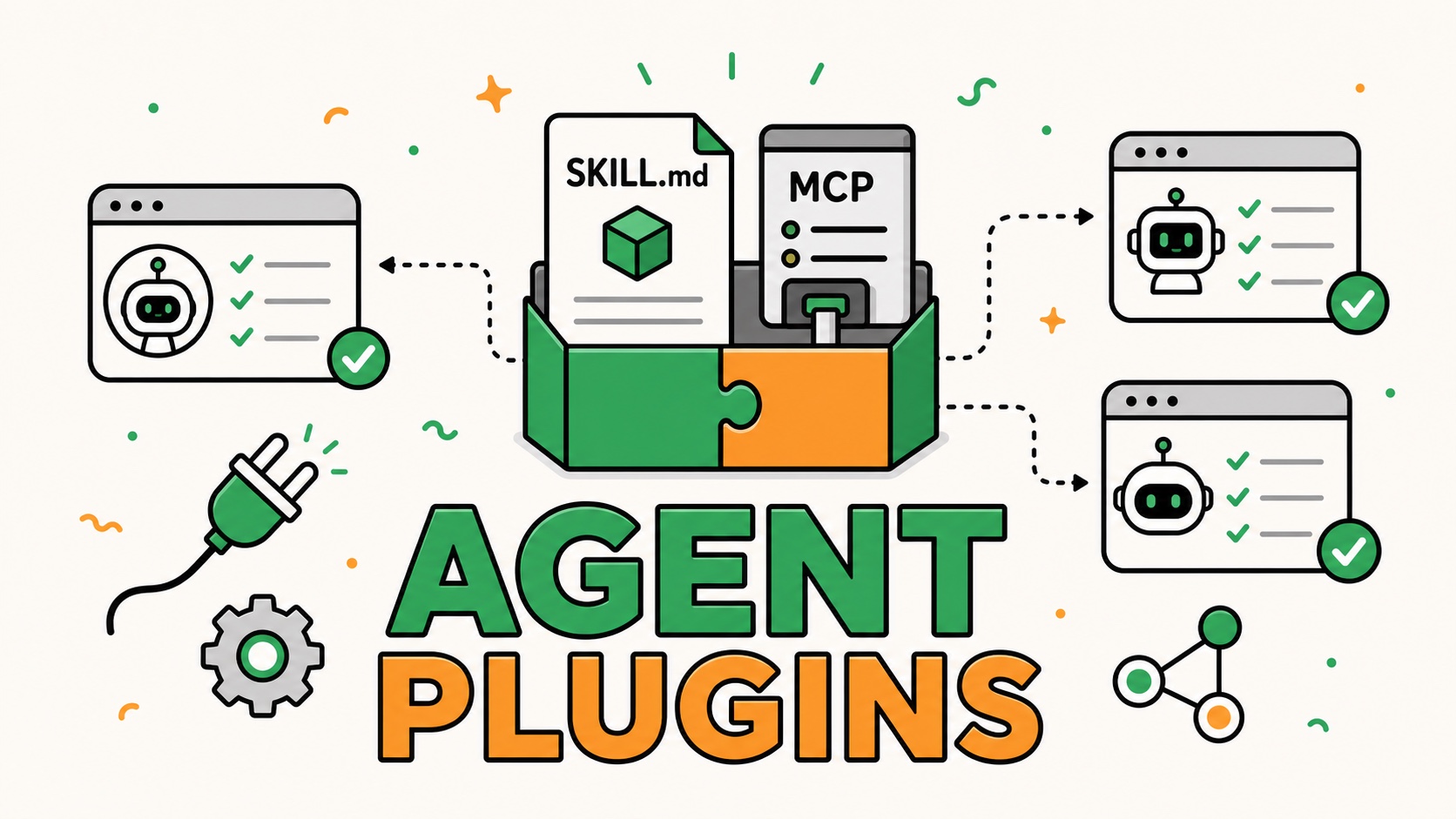
Update — August 13, 2026: Google has joined the companies supporting the Agent Plugins standard and announced that two of its products already support the format: Agents CLI and Data Agent Kit.
On August 6, 2026, OpenAI announced Agent Plugins, an open standard developed with Amazon (AWS), Microsoft (Github and Visual Studio Code), Cursor and Vercel.
The promise is simple: build a plugin once, then use it across compatible agent clients.
At first glance, the announcement adds yet another format to a stack already full of acronyms. We had prompts, AGENTS.md files, Skills, MCP, hooks, and tool-specific extensions. Now we have plugins.
In practice, Agent Plugins does not introduce a new capability for agents. The standard mainly aims to package two existing building blocks cleanly: Agent Skills and MCP server configurations.
That is precisely why I find this announcement interesting. In my article about AI Skills, I highlighted a very practical problem: a Skill can follow a shared format and still be tedious to install and maintain across Codex, Cursor, and other agents. MCP servers face the same fragmentation in their configuration.
Agent Plugins defines the portable layer that was missing between these standards and the tools that use them.
The problem is no longer creating capabilities, but distributing them
Agents already have several ways to extend what they can do.
A Skill gives an agent a method, instructions, and resources. It can explain how to review a spec, audit an interface, or prepare a deployment. Its content is loaded progressively when a request matches, instead of occupying the context at all times. It is one of the building blocks I use in my approach to context engineering.
An MCP server gives the agent access to data and actions: researching keywords in DataForSEO, inspecting a GitHub project, querying a database, or triggering an operation in a SaaS product. I explored this role in detail in my lessons from building two MCP servers.
The two building blocks are complementary:
| Building block | What it gives the agent |
|---|---|
| Agent Skill | A method, instructions, and specialized resources |
| MCP server | Tools, up-to-date data, and controlled actions |
| Agent Plugin | An installable package that brings these capabilities together and describes them |
The problem is that each client gradually developed its own way to organize plugins and declare MCP servers. The underlying content remained similar, but authors had to rename files, move directories, or rewrite configuration for every tool.
The official Agent Plugins website therefore presents the standard as a small interoperability floor. It is not trying to make the entire agent experience uniform. It only defines a structure that multiple clients can recognize.
These are not the old ChatGPT plugins
The word plugin already has several meanings in the AI ecosystem.
The first ChatGPT plugins were primarily integrations that allowed the model to call an external service. Today, plugins in ChatGPT and Codex are packaged workflow capabilities that can include Skills, apps, and app templates in OpenAI's Plugins Directory. The OpenAI documentation on plugins describes this product and the workspace controls around its distribution.
Agent Plugins refers here to the portable format, independent of any particular marketplace or client. Version 1 is narrower than everything an OpenAI, Cursor, or GitHub plugin may offer. It standardizes the common package these tools can load, not their entire ecosystems.
What does an Agent Plugin look like?
To support the launch, the maintainers published an official example plugin. Its purpose is practical: helping authors migrate a plugin designed for one client to the new portable format.
agent-plugins-example/
├── plugin.json
└── skills/
    └── migrate-agent-plugin/
        ├── SKILL.md
        └── references/
            ├── client-extensions.md
            ├── migration-guide.md
            └── validation-checklist.md
The plugin.json manifest is the only required file. It identifies the plugin and the version of the standard it targets. Everything else depends on the plugin's purpose.
The example contains one Skill, migrate-agent-plugin. When loaded, it guides the agent through the following steps:
- analyze the existing plugin structure;
- add the root
plugin.jsonmanifest; - move reusable Skills into the shared
skills/directory; - convert portable MCP configurations to
mcp.jsonwhen needed; - keep hooks, commands, or subagents in client-specific extensions;
- validate the new package before removing legacy files.
This example also shows that an Agent Plugin does not need to include every possible building block. There is no MCP server here: one Skill and its references are enough to complete the intended workflow.
A plugin that needs tools can add an mcp.json file at its root. Version 1 supports local servers over stdio, remote servers over Streamable HTTP, and the legacy HTTP+SSE transport. Client-specific hooks, commands, and subagents remain in dedicated extensions.
The Agent Plugins 1.0.0 specification defines these locations, the JSON schemas, and the expected behavior when a component is invalid or unsupported.
Which clients are already compatible?
As of August 7, 2026, the official list of compatible clients includes:
- ChatGPT and Codex;
- Cursor;
- Visual Studio Code;
- GitHub Copilot;
- Kiro.
All five list support for Agent Skills and MCP. ChatGPT and Codex support the stdio and Streamable HTTP transports. The other four also list support for legacy SSE.
This list already calls for some caution: compatible does not mean identical. The specification allows clients to adopt portable component types incrementally. A client can support only one component type or only some MCP transports while still following the standard for what it does implement.
Anthropic and Claude are still missing from the list
The most visible absence is Anthropic. The company created MCP, while Claude Code already has its own plugin system.
The underlying idea is very similar. A Claude Code plugin is a self-contained directory that can bundle Skills, custom agents, hooks, MCP servers, LSP servers, and other components. It still uses its own conventions, with a manifest at .claude-plugin/plugin.json and MCP server definitions in .mcp.json.
Claude also has a connectors directory for linking Claude to the tools, data, and context of services such as Notion, Canva, or Stripe. Many connectors rely on MCP, but their primary role is connecting Claude to a service. A plugin goes further by packaging multiple capabilities and instructions into one distributable directory.
Anthropic has not made an official announcement about Agent Plugins 1.0, and Claude does not appear among the compatible clients listed by the standard.
Tobin South, who works on MCP at Anthropic, nevertheless reacted to the announcement on X. In his view, plugins are likely to become the default packaging mechanism for MCP, Skills, CLIs, hooks, and other extensions. He also wrote that Claude already supports this model and that its support should improve further.
Claude's absence therefore does not look like a rejection of the idea. The building blocks already exist, and the formats are close. But Anthropic may choose to keep its own conventions, as it does with project instructions: Claude Code reads CLAUDE.md, not AGENTS.md. Without an official announcement, Claude's adoption of the Agent Plugins standard remains an open question.
What this standard could actually change
One source to maintain
The first benefit for plugin authors is straightforward: maintain one portable directory instead of several nearly identical copies.
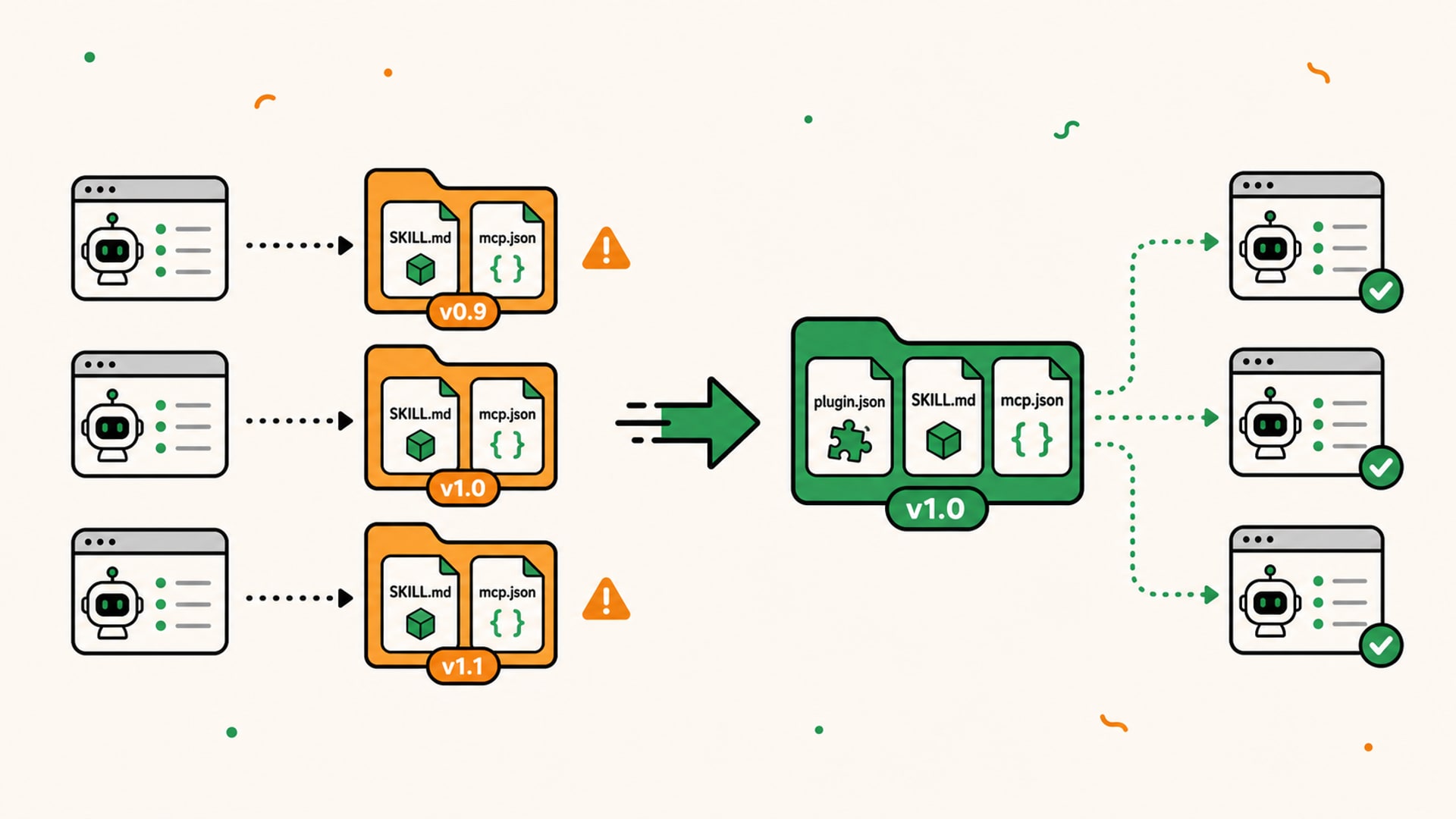
A team can version its Skills, references, and MCP configuration in the same repository. Fixing a method or adding a tool no longer requires manually replicating the change across every proprietary format.
The workflow becomes the unit of distribution
A standalone Skill addresses a task. A standalone MCP server exposes tools. A plugin can represent a complete business workflow.
For a product team, that could be a release-preparation plugin combining a checklist, GitHub access, and observability tools. For a SaaS company, it could be a set of workflows that teaches the agent how to use the product correctly, then gives it the tools it needs to act.
The plugin becomes a small product layer built for agents, with its own promise, use cases, and limits.
Portability does not guarantee the same result with every model. It guarantees a shared starting point: the same components can be discovered in the same place.
What Agent Plugins does not standardize yet
“Build once, use everywhere” describes a direction, not an absolute guarantee.
Version 1 defines exactly two portable component types: Skills and MCP servers. Hooks, subagents, commands, rules, and client-specific interfaces already found in some plugins are not part of the portable core. They can remain in a client extension, but other clients are free to ignore them.
The standard also does not define:
- a universal marketplace;
- how a plugin is installed or updated;
- the interface used to activate it;
- a shared permission policy;
- how credentials and secrets are stored;
- exactly how the model chooses a Skill or tool.
This limited scope is not necessarily a weakness. Successful standards often begin by stabilizing a small shared surface. But it is important to distinguish package portability from a uniform experience.
The 1.0.0 specification is also still published as a Working Draft. Its value will depend less on its version number than on real adoption, implementation quality, and compatibility tested across clients.
Installing a plugin is still a trust decision
A shared format makes distribution easier. It also makes poorly designed or dangerous components easier to distribute.
A Skill can include scripts. A local MCP server can launch an executable. A remote MCP server can receive data and offer actions on external services.
The specification imposes several safeguards on the package structure. Paths supplied by the plugin must remain inside its root directory, credentials must not be embedded in mcp.json headers, and one MCP server failing must not prevent other valid components from loading.
But this validation does not provide a sandbox or decide application-level permissions. Each client remains responsible for its permission model, while every MCP server must enforce authentication and authorization on the server side.
Before installing a plugin, I would therefore keep the same habits I use for a Skill:
- identify the author and repository;
- read the included Skills and scripts;
- inspect the declared MCP servers;
- understand the accessible data and possible actions;
- review the requested permissions;
- test the plugin on a limited scope.
One-click installation reduces friction. It does not create trust.
Why this announcement matters to Product Engineers and SaaS companies
For a Product Engineer, Agent Plugins brings agents one step closer to a real software distribution platform.
Building a useful agent capability will involve more than writing a prompt or exposing an API. It will require designing a coherent package:
- use cases with a sufficiently precise scope;
- MCP tools that are understandable and safe;
- Skills that encode the business method;
- outputs that can be verified;
- well-managed permissions and errors;
- tests in the clients the product actually targets.
For SaaS vendors, this shift also raises a strategic question. If users increasingly work from their agents, should the product wait for them to navigate its interface, or can it make its data and actions available directly within their workflows?
MCP provides the connection. Skills explain how to use it well. Agent Plugins can now provide the shared unit of distribution.
This continues the shift from vibe coding to agentic engineering: value is moving away from generated code alone and toward the structure, tools, context, and verification mechanisms around the agent.
My view: a meaningful step toward agent interoperability
Agent Plugins will not instantly make every plugin compatible with every agent. It does not solve security, Skill quality, or MCP tool design. Its ecosystem will still need to prove that it can converge despite the proprietary extensions supported by each client.
But the standard formalizes a pattern that was already emerging: instructions and tools work better when they are designed, versioned, and distributed together.
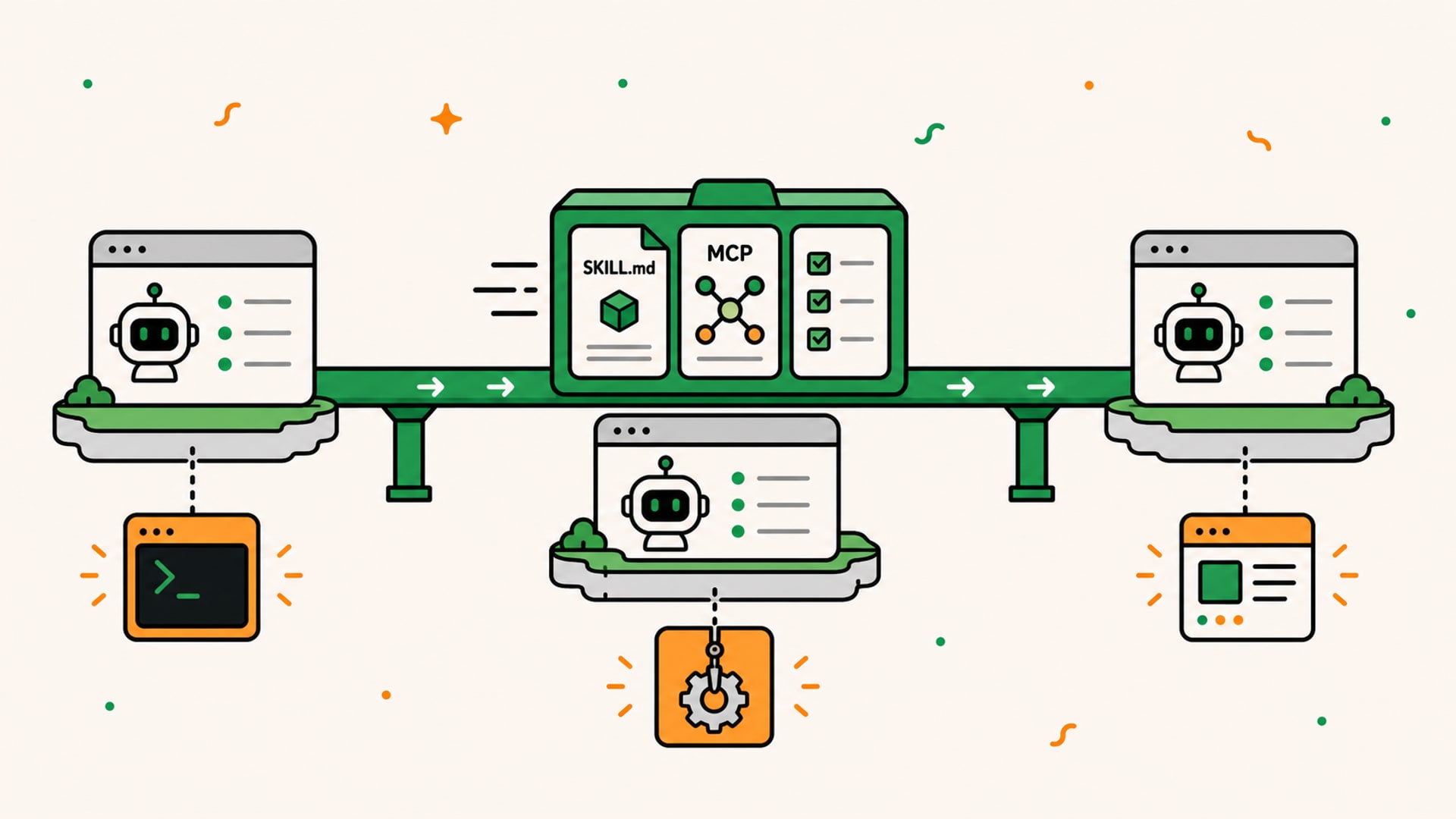
The most interesting signal may be economic rather than technical. OpenAI, Amazon, Google, Microsoft, Cursor, and Vercel are acknowledging that some of this value should be able to move between their agents. A specialized workflow becomes a portable asset instead of remaining trapped inside one tool's configuration.
I would therefore start with a narrow plugin: one clear goal, one or two Skills, an MCP server only when live data or actions are necessary, then tests in at least two target clients. Portability is measured in use, not in the repository tree.
📌 Do you have a SaaS product to connect to AI agents or a business workflow to turn into a tool? I can help from design through implementation, including MCP server development and a complete Product Engineering approach.
Sources
- OpenAI Developers, Agent Plugins announcement.
- Matt Palmer, introduction to Agent Plugins and support in Cursor.
- Tobin South, reaction to the announcement about plugins, MCP, and Claude.
- Google for Developers, announcement that it is joining as a Core Maintainer and supporting the format.