After purchasing a wide monitor, I found myself needing to resize windows very precisely (for example, to exactly 1920x1080) to capture clean screenshots and screen recordings. After doing some research, I decided to code my own MacOS application: SIZR.
The MacOS ecosystem is full of tools to manage windows. On a daily basis, I already use Magnet which does a great job organizing screens, but doesn't allow resizing a window to a specific pixel-perfect size.
Other existing window management applications were too complex for my needs. They offered grids and layouts, or workspace management rules that overlapped with Magnet, which suits me perfectly for that purpose.
As a Product Manager, I know we have to be careful not to overload our projects with features. I had the perfect opportunity to code my own very simple MacOS window resizing application. The only catch? I had never coded a MacOS or even iOS application before.
The Solution: "Vibe Coding" with the OpenAI Codex App
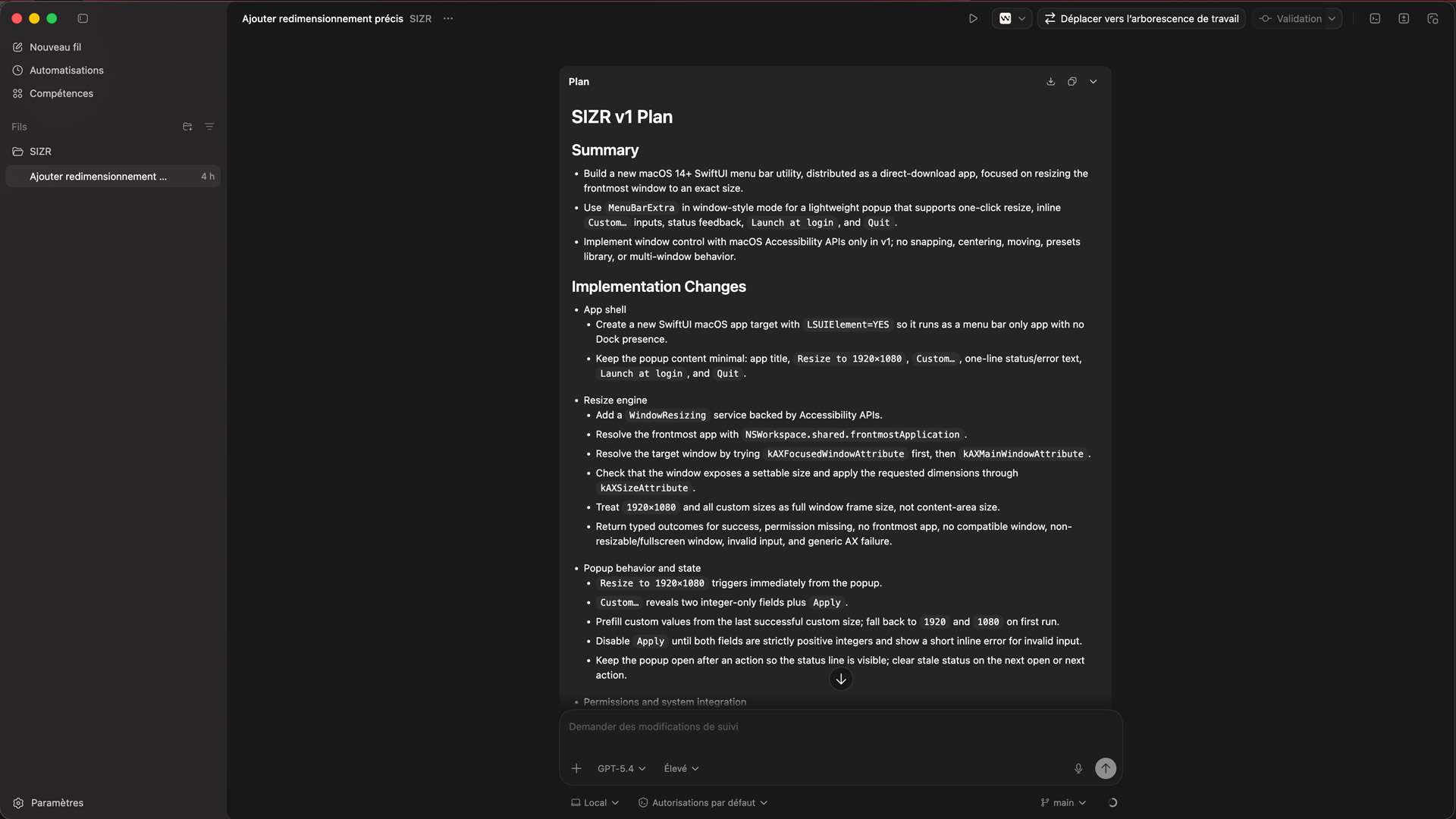
This time, I chose to use Codex, the new agentic coding application launched by OpenAI. Unlike classic AI code completion assistants, Codex acts as a truly autonomous developer: you give it access to a folder, explain what you want in natural language, and it handles creating the architecture, writing the files, and running the necessary commands.
This is the true magic of vibe coding: you no longer code, you explain your intent. The process was astonishingly simple:
- First, I used ChatGPT to structure my needs into a clear brief: what the application should do, and also what it should not do.
- Then, I gave this specifications document to Codex, which took care of all the technical execution.
Less than 5 minutes later, I had my application created and working.
Fun fact: it took me longer to create a decent logo for it than to code the entire application!
Introducing SIZR: Window Resizer for Mac
The result of this experiment is called SIZR.
It is a lightweight MacOS application directly accessible from the menu bar. It has only one goal: to resize the active window to an exact width and height, instantly.
Designed for users with large screens (4K, wide, or ultrawide), it allows you to click once to:
- Resize the active window to
1920×1080(the default size). - Apply custom dimensions via the
Custom...option by entering your own width and height.
No grids. No zones. No tiling.
Technically, the application is coded in Swift and SwiftUI, and uses MacOS Accessibility APIs to manipulate the windows of other applications.
Conclusion
My experience with Codex blew me away once again regarding the power of AI to bring ideas to life quickly.
Following the creation of my image optimization tool with Google Antigravity, "vibe coding" allows me to quickly and easily implement new ideas, even on ecosystems I don't master at all, like Swift and MacOS.
In less than 2 hours from the application idea to its release, I was able to build and test a functional tool. For a Product Manager, it's a revolution: AI removes the technical barrier and allows going directly from defining a need to its functional prototype.
And with some coding knowledge, I was able to browse the code, edit the texts, and easily add the application icon using the logo I had created.
I am making the application's source code available. 👉 Find SIZR on my Github account
If you have application ideas but feel held back by technical skills, don't hesitate to look into these code generation tools!
And if you wish to be supported in defining your product or its conception, discover my services as a Product Management consultant!